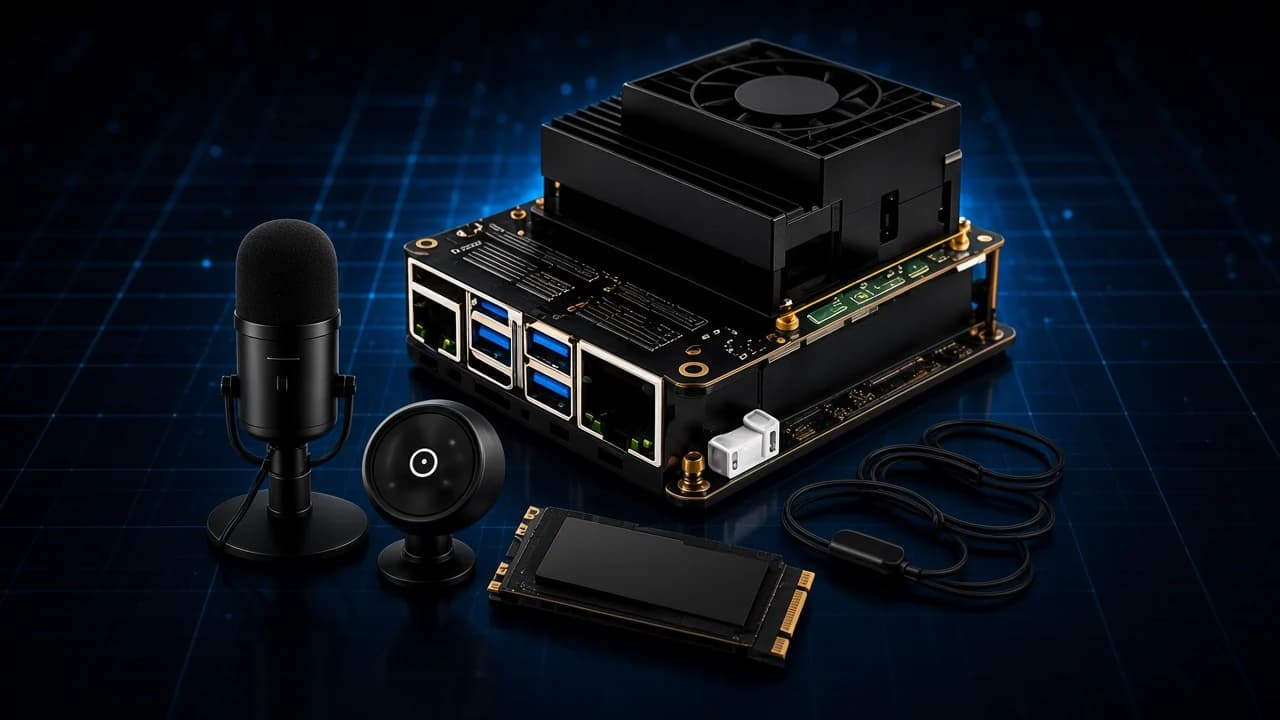
Build Your Own Personal AI Supercomputer
Build a compact local AI computer and run language, voice and vision models privately on your own edge system, with no cloud and no subscription.
For only $3,499
Save $1,000
A complete skillset
The technical skills you gain will showcase your knowledge and abilities, helping you build confidence and explore new opportunities in the world of STEM.
- Cybersecurity
- 3D Printing & Modeling
- Robotics
- Custom Gaming PC Building
- Advanced Drone Programming
- Gen AI & LLMs
- & more
During the program, our team is ready to provide you with personalized support.
Five-day online training experience
Recorded sessions for every class
Equipment that you get to keep
100% accessible classes for everyone
Certificate of completion
A recognized certification to showcase your skills and achievements in STEM.
 Certificate of completion
Build Your Own Personal AI Supercomputer
Proudly presented to
Your student’s name
Hands-on career exploration STEM workshops.
Flexible, beginner-friendly classes with videos and notes.
- Ages 13 – 21
- Internet connection required
- Computer required
Prerequisites· Year 2 Program
Built for returning students. Complete an Intro Program camp first, or come with some Python and experience setting up a small computer such as a Raspberry Pi.
Each workshop is curated for accessibility and fun, encouraging young minds to become future innovators in high-demand career fields.


Taught by industry veterans &World-class instructors
Introduction
- Monday through Friday
- 9:30 AM – 12:30 PM ET
The AI tools everyone uses run in someone else's data center. This week, students build their own. They assemble a compact AI computer with fast storage, a microphone and a camera, then run language, voice and vision models on it locally: private, offline and entirely under their control. By Friday they have a personal AI assistant they built from the board up, and the hardware is theirs.
Day 1Assemble Your AI Computer
Board, cooling, storage and peripherals. Students build the machine, install the operating system, and see what makes hardware fast enough for AI.
Day 2Language Models on Your Own Machine
Running a large language model locally. Students compare model sizes, learn what quantization trades away, and build a chat app that never leaves the desk.
Day 3Voice: Speech In, Speech Out
Microphone and speaker meet AI. Students add speech recognition and a synthesized voice, and turn their computer into an assistant they can talk to.
Day 4Vision Models at the Edge
Connecting the camera and running vision models that describe scenes, read text and recognize objects, all on the device.
Day 5Your Private AI Assistant
Bringing language, voice and vision together into one assistant. Students talk through privacy and responsible AI, then demo what they built.
What parents say
A week is a short time. These are the families who noticed it lasting past the Friday.
 Renee A.Parent of Maya, 13
“She came home on the Tuesday talking about prompts and context windows, and by Friday she had built a study helper for her own homework. I did not expect that in five days.”
 Kevin O.Parent of Isaac, 14
“He has always been the kid who takes things apart. This was the first time someone handed him a machine and told him that was the point.”
 Marcus T.Parent of Dev, 15
“The instructors treated them like junior colleagues rather than kids at a summer program. That is what made it stick.”
 Dan W.Parent of Nora, 11
“We have a printer at home now and it has not stopped running since. Everything on my desk is something she designed.”
 Alicia R.Parent of Theo, 12
“He flew it around the yard the evening he got back, then spent the weekend changing the code so it would fly a square.”
 Sam H.Parent of Iris, 16
“I was nervous about a hacking camp, honestly. Within a day I understood it was the opposite. She can now explain to me why our home network was wide open.”
 Priya N.Parent of Anika, 15
“She had already done the intro course elsewhere and was bored. This one actually pushed her: tolerances, multi-part assemblies, real CAD.”
 Tasha B.Parent of Elliot, 13
“Small enough that the instructor knew what my son was stuck on before he asked. You do not get that at the big camps.”



Get started in STEM this summer with Intellectual Point.
Seats are limited to what one instructor can actually teach. Tell us who’s coming and we’ll hold a place while you decide.

Questions parents ask
If yours isn’t here, write to stem@intellectualpoint.com. Replies take up to a day, usually less.
Who are the camps for?
Students aged 13 to 21. Intro Program camps, and the ones called “Introduction to”, assume no prior experience. Year 2 and Year 3 camps build on earlier ones, and each spells out its prerequisites on its own page.
Are the camps in person or online?
Online, and live. Each morning is taught over video by an instructor, with helpers in the call. The hardware is real and ships to your home before camp, so the work is hands-on even though the room is virtual.
What are the hours?
9:30 AM to 12:30 PM Eastern, Monday to Friday; a shorter week says so on its camp's page. Three hours of guided work a day. The rest of the day is theirs.
What does my child need at home?
A laptop with a reliable internet connection, a flat and well-lit table with room to spread a kit out, and a way to take notes. The camp’s own hardware and software are covered.
What if they miss a morning?
Every session is recorded and posted to the workshop portal, alongside written step-by-step guides for each day, so a missed morning can be caught up the same afternoon.
Do we keep the equipment?
Yes. The kit ships to your home and stays there afterwards. The 3D printing camps in particular end with a working printer on the desk.
Is it safe?
Hardware camps open with a safety briefing before anything is unboxed (hot parts, moving parts, batteries, the lot), and every build step is done together on the call. The security camps run entirely inside safe virtual labs set up for learning.
My child has a disability. Will this work for them?
The sessions are designed to be fully accessible for students with visual impairments, autism, and other disabilities. Tell us what would help when you enquire and we’ll plan for it before the first day.
How do I book a place?
Tell us who’s coming and which week through the enquiry form, and we’ll hold a place while you decide. Seats are limited to what one instructor can actually teach, so the popular weeks fill early.
How do I reach you?
Write to stem@intellectualpoint.com. Replies take up to a day, usually less.
More weeks
Other camps that pair well with AI Supercomputer
Same labs, same instructors, same three hours a morning. A student who takes to this week tends to take to these.
 Learn moreJuly 12 – July 16, 2027Year 2 ProgramPrerequisites required
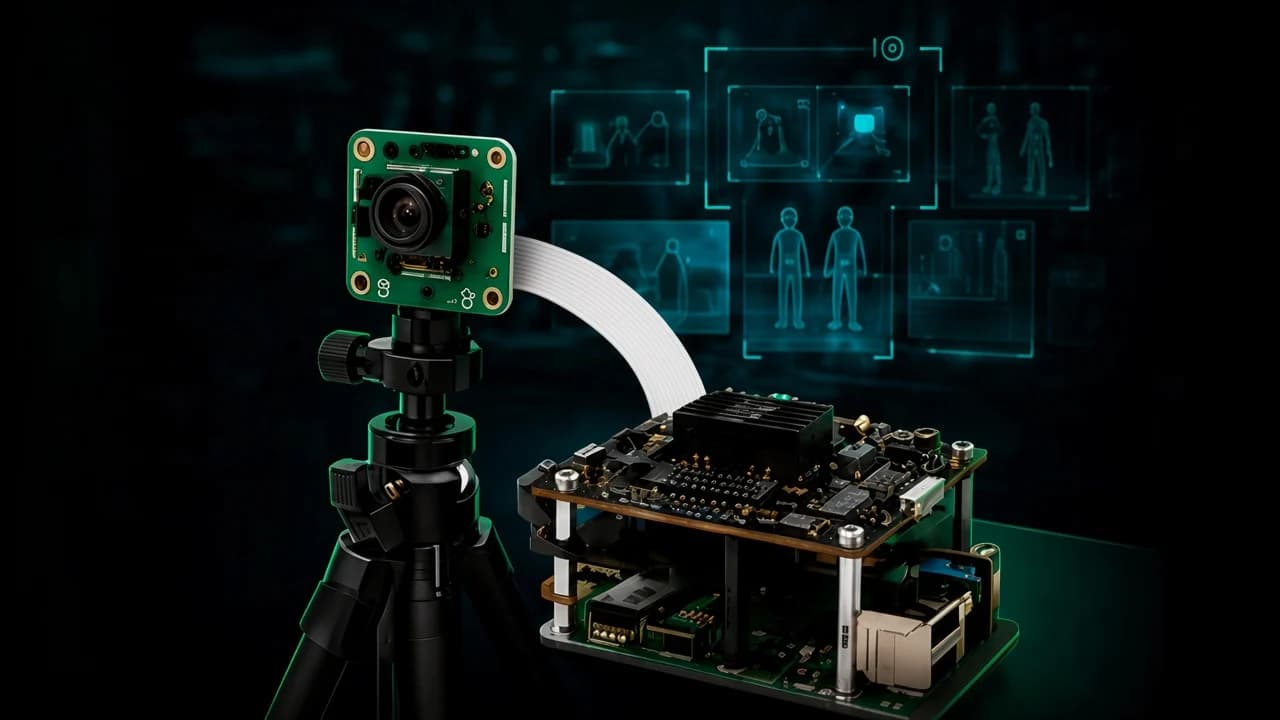
Computer Vision & Edge AI
Connect an AI camera to an edge computer and build real-time vision systems that detect, count, track and react, all running on hardware students keep.
 Learn moreJuly 7 – July 9, 2027Year 3 ProgramPrerequisites required
Iron Man Lab
Create custom smartwatch apps and interactive wearable AI experiences using sensors, code and creative design, on a watch students program themselves and keep.
 Learn moreJune 14 – June 18, 2027Intro Program
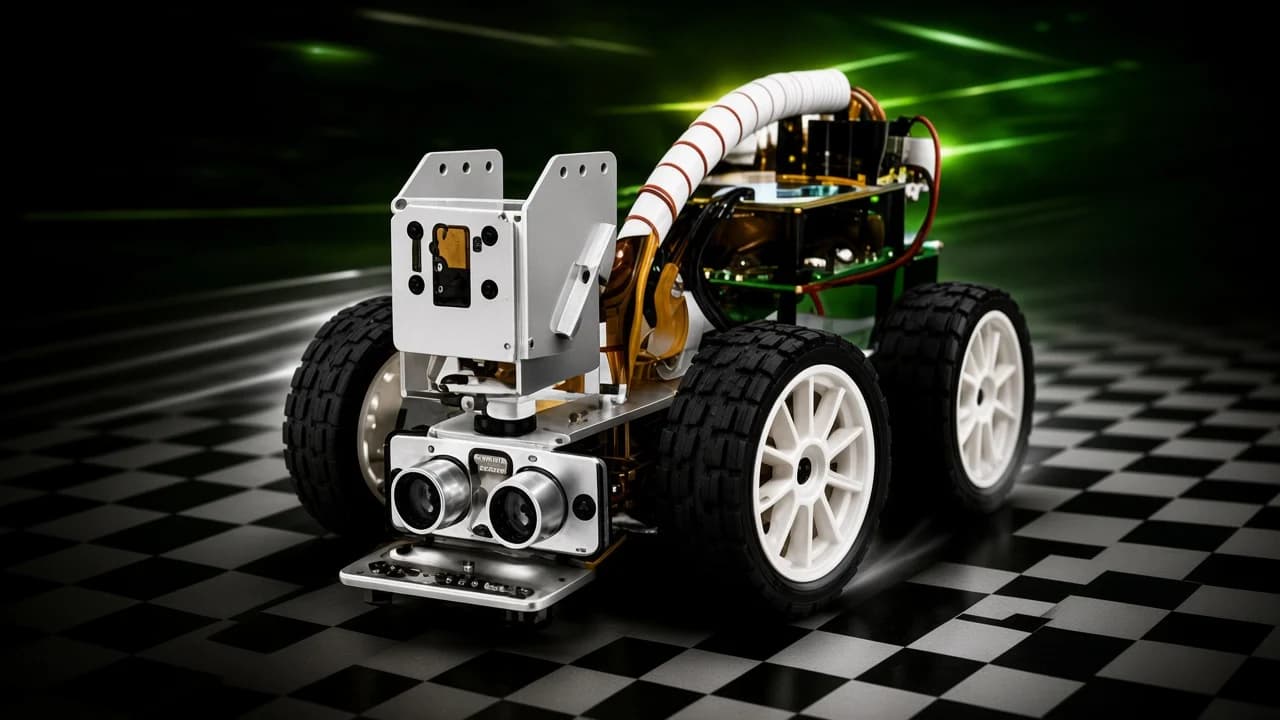
Autonomous Racing
Build and program a camera-equipped AI car, then train it to read the track: lane detection, obstacle avoidance, and a race it drives entirely on its own.